SD-WAN
Making enterprise networks manageable.
Open the policy → Find the rule → Open steering objects → Choose an object → Review thresholds → Review eligible links
Context & contribution
Editing routing settings while keeping the surrounding policy in view.
User goal
Help administrators review and edit traffic steering rules without losing the context of the policy table.
User flow
- 01
Open the policy
Start in the Internet & SD-WAN Policy table.
- 02
Find the rule
Scan source, destination, application, and steering columns.
- 03
Open steering objects
Keep the policy visible behind the split drawer.
- 04
Choose an object
Select an existing steering object in the list.
- 05
Review thresholds
Read the latency, jitter, and packet-loss settings together.
- 06
Review eligible links
See whether the object uses all links or specific candidates.
Inside the experience
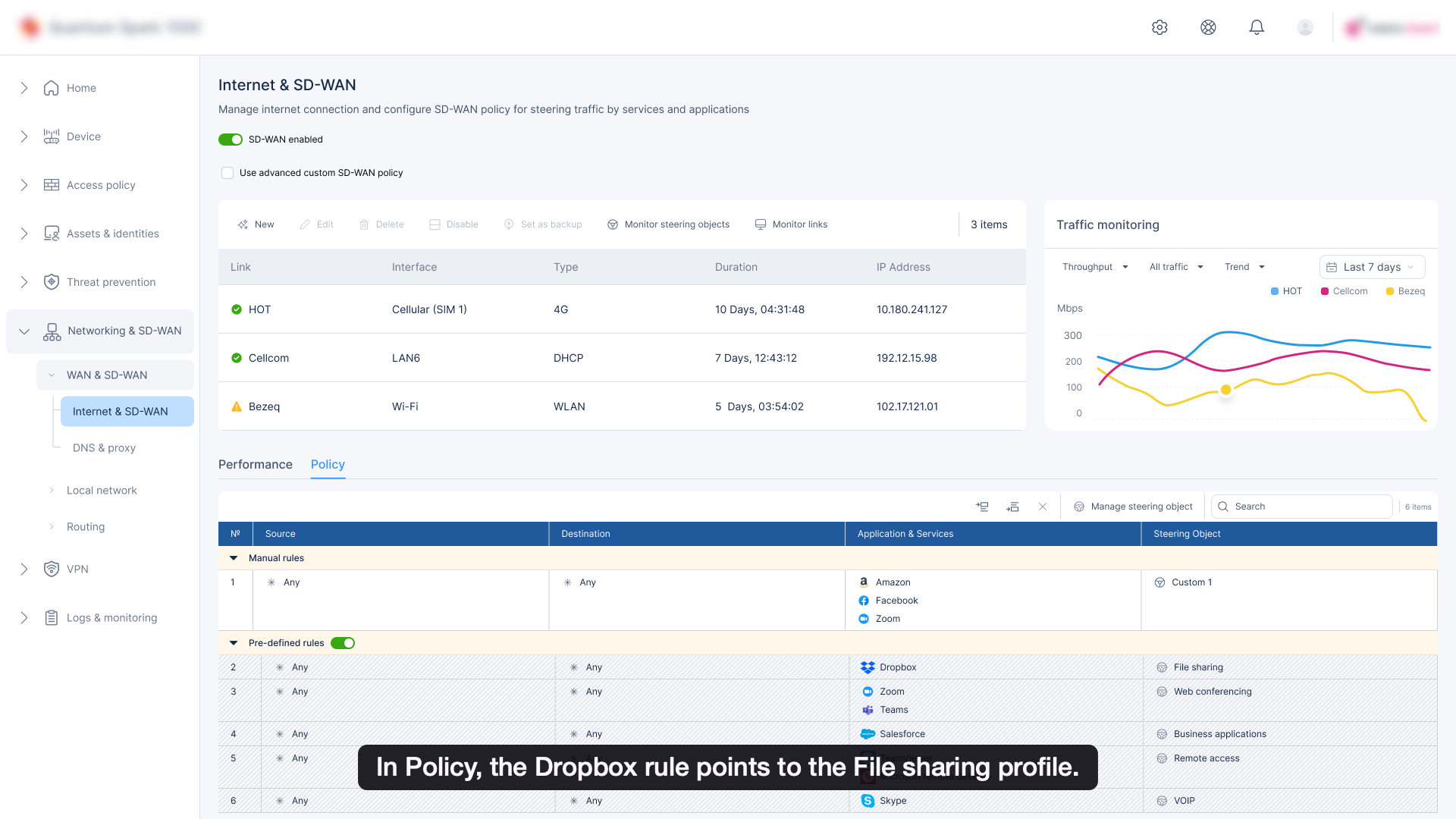
Policy table
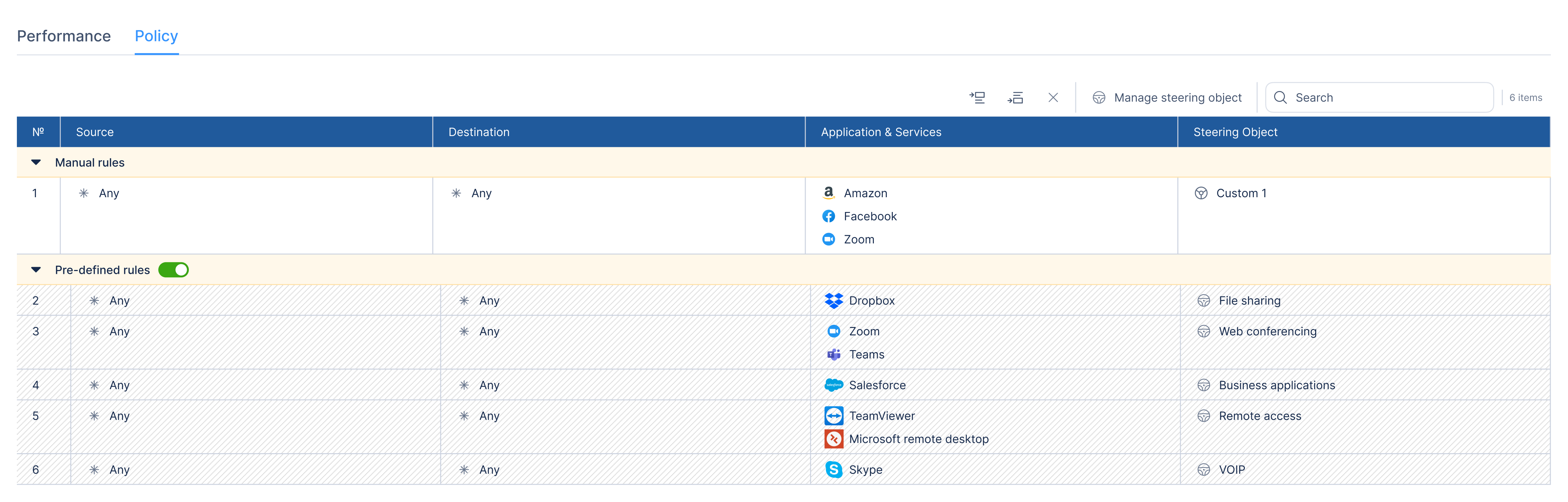
Open the steering drawer
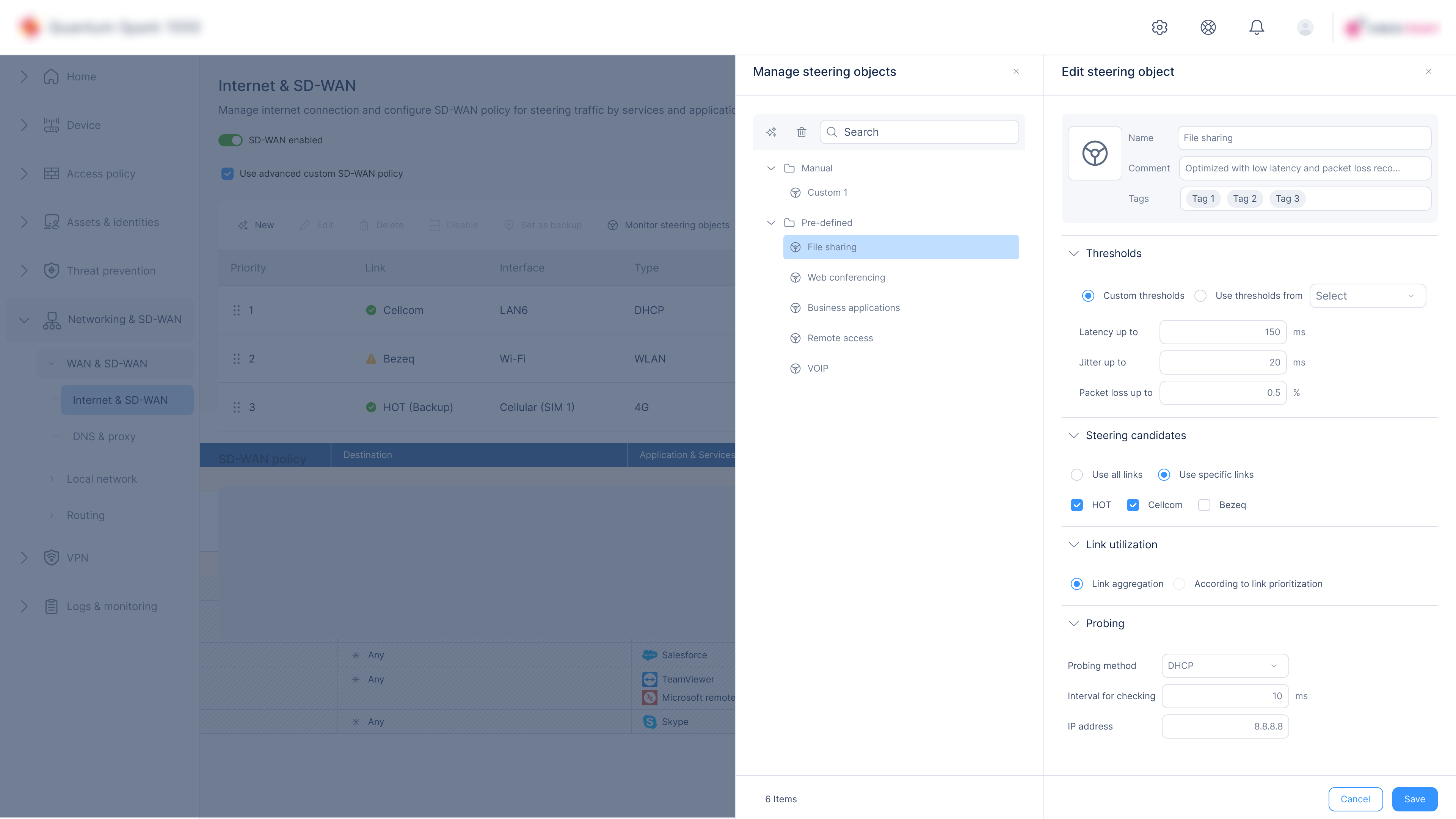
Steering object detail
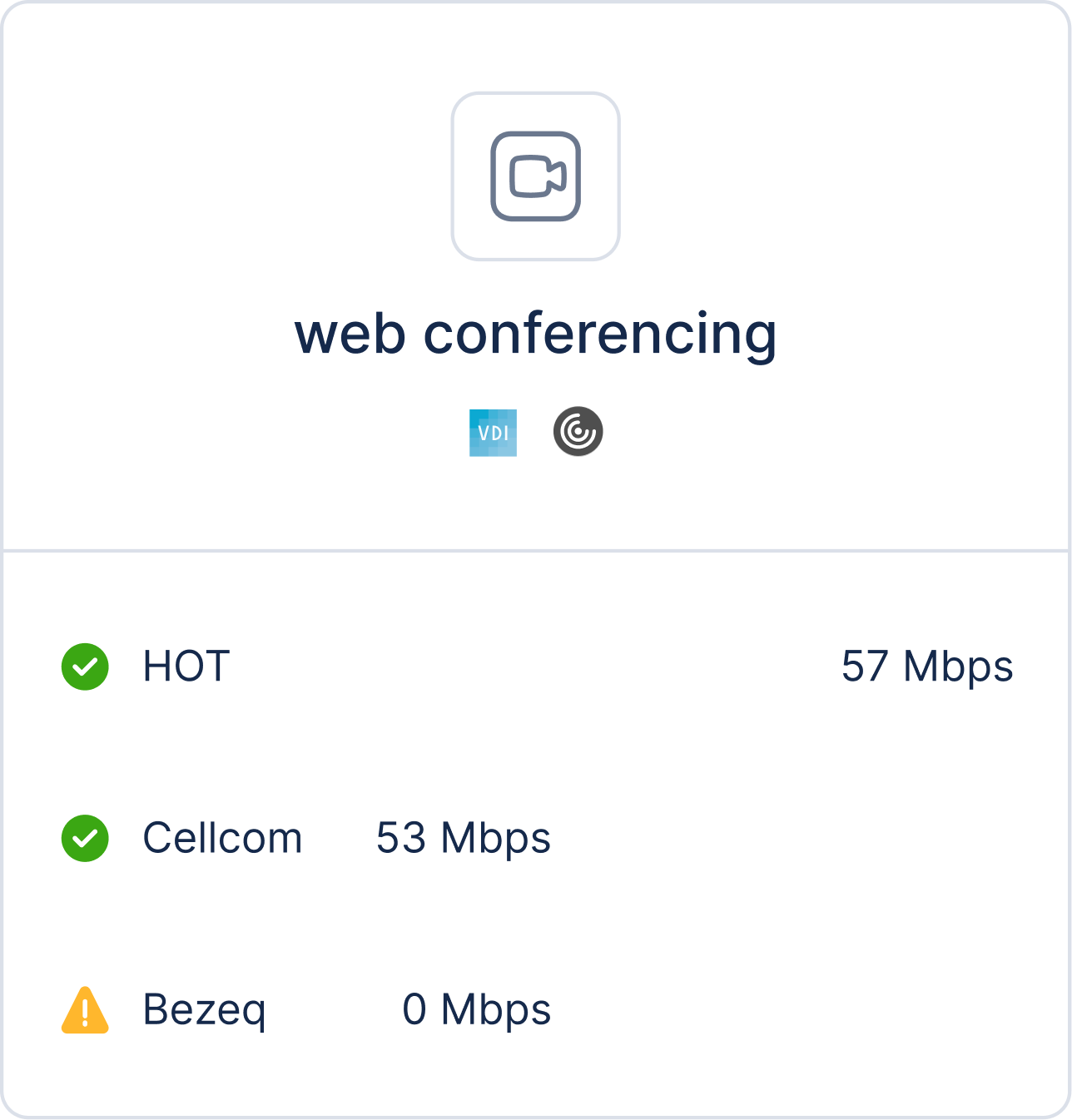
Traffic monitoring graph
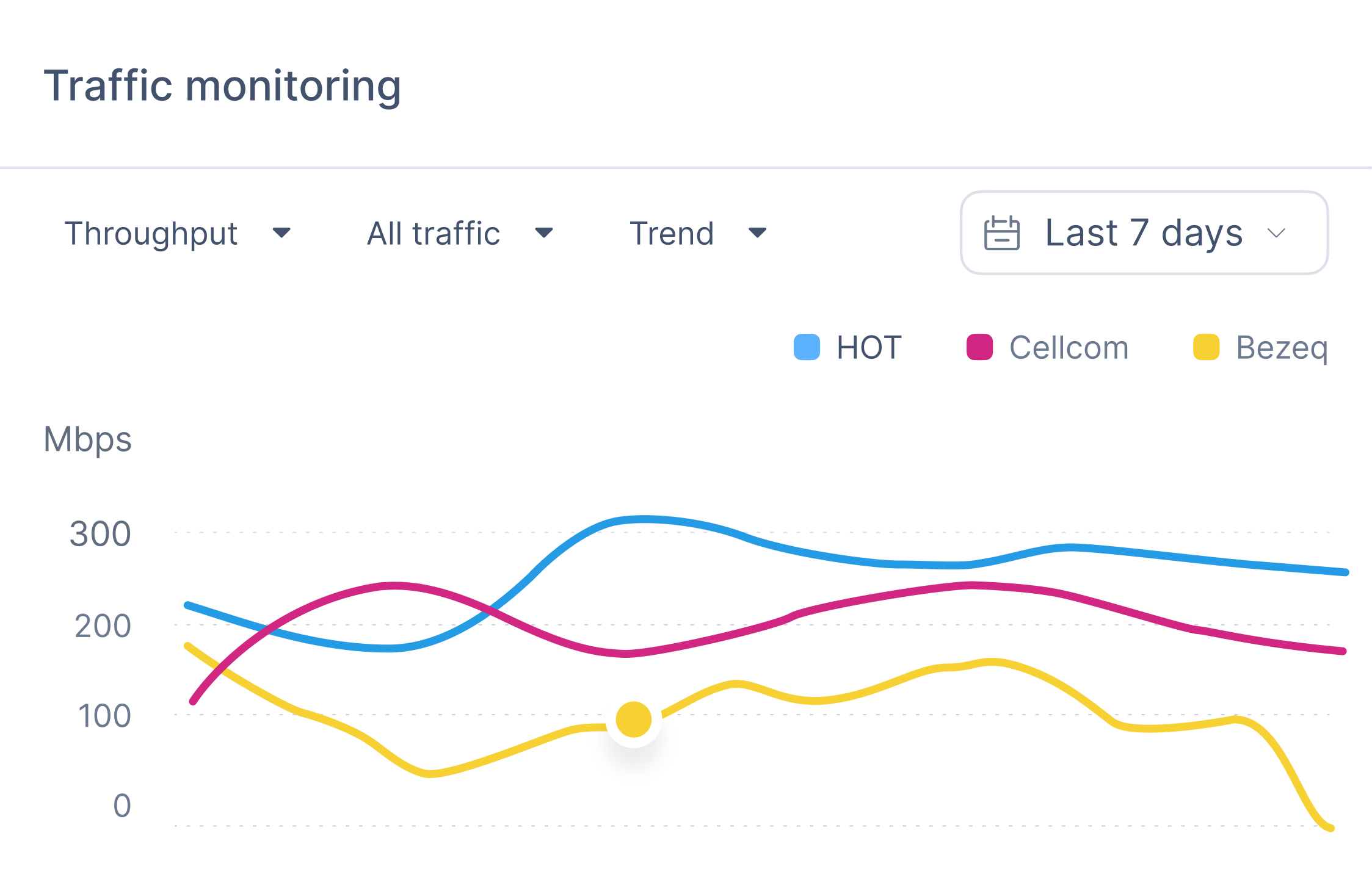
Policy and live traffic monitoring
What the flow makes clear
The split drawer keeps policy rules, steering objects, and the object editor connected.
More selected work
Let’s work together
Open to fully remote product design roles and selected digital projects.
Phuket, Thailand · Fully remote · Israel business hours