IoT Security
From a security overview to a specific access decision.
Open the dashboard → Select a device category → Review access → Find approved destinations → Open destination approval → Approve the destination
Context & contribution
Connecting device review and access decisions in a single workflow.
User goal
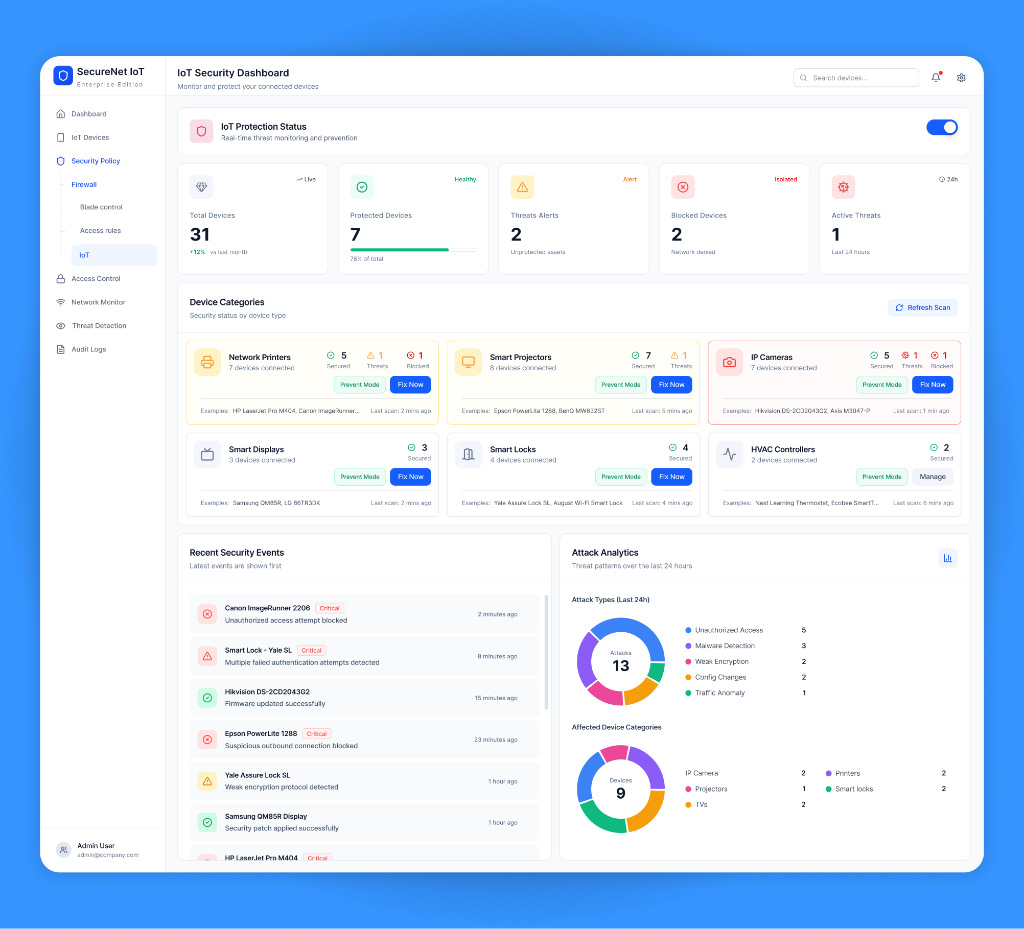
Help administrators review device health and approve network destinations without losing the dashboard context.
User flow
- 01
Open the dashboard
Review device health, protection status, and recent threats.
- 02
Select a device category
Choose the category that needs an access review.
- 03
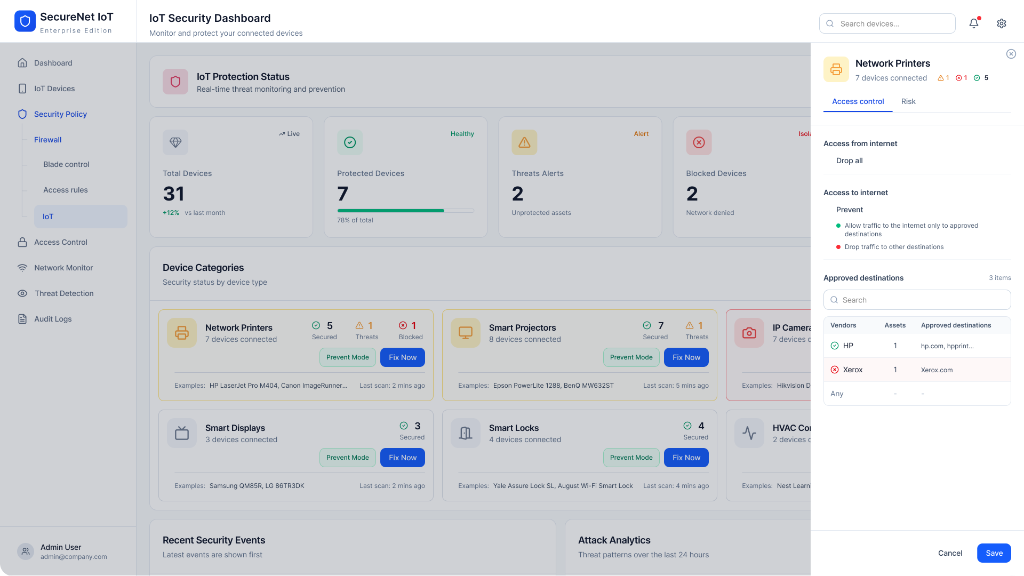
Review access
Open the category drawer and check inbound and outbound settings.
- 04
Find approved destinations
Review the destinations already allowed for the category.
- 05
Open destination approval
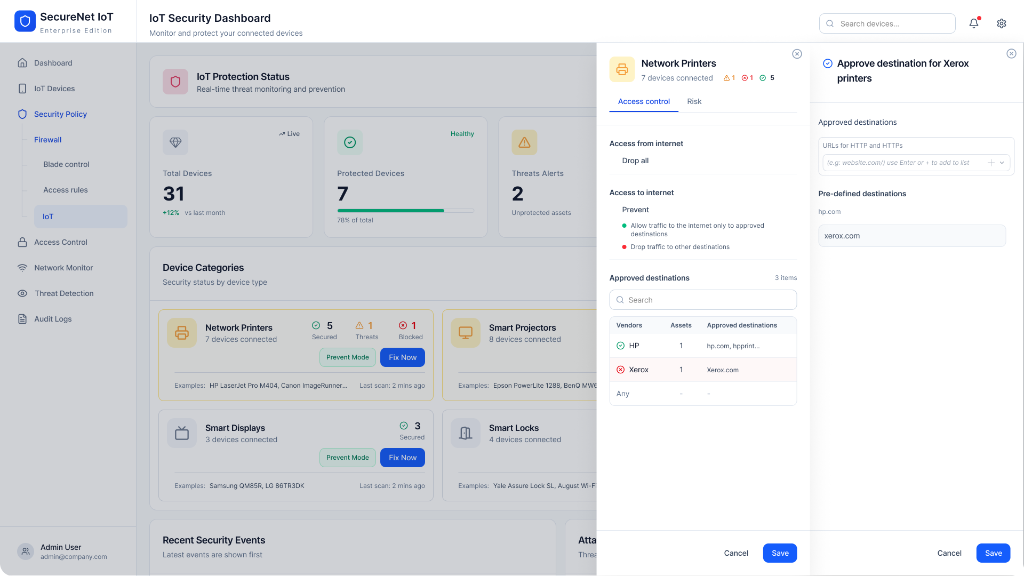
Use the second drawer while keeping the category in context.
- 06
Approve the destination
Review the destination before applying the rule.
Inside the experience
product design detail 1
product design detail 2
product design detail 3
What the flow makes clear
The layered drawers keep the device category visible while an administrator makes a specific access decision.
More selected work
Let’s work together
Open to fully remote product design roles and selected digital projects.
Phuket, Thailand · Fully remote · Israel business hours