SD-WAN SystemRedesigning for clarity & speed.
As part of Check Point's ongoing efforts to improve usability, I led the redesign of a key SD-WAN product dashboard designed for network administrators managing enterprise policies.
Making enterprise networks manageable
This cybersecurity system supports large-scale, multi-branch organizations. Users were struggling with an overwhelming interface, unclear status indicators, and inefficient workflows.
The goal was to optimize the user experience of a legacy SD-WAN system by improving usability, visual hierarchy, and interface logic.
My Role
UX & UI Design
Company
Check Point
Platform
Desktop (Enterprise)
Year
2023
Internet & SD-WAN Policy
Top Section – Data Interfaces Table
Clarity & scalability — Tables enable quick scanning and comparison between interfaces like Cellular, LAN, and Wi-Fi.
Logical structure — Each row represents a single interface, while columns present key metrics.
Pattern recognition — A consistent format helps IT managers quickly identify underperforming links.
Bottom Section – Smart SD-WAN Policy Table
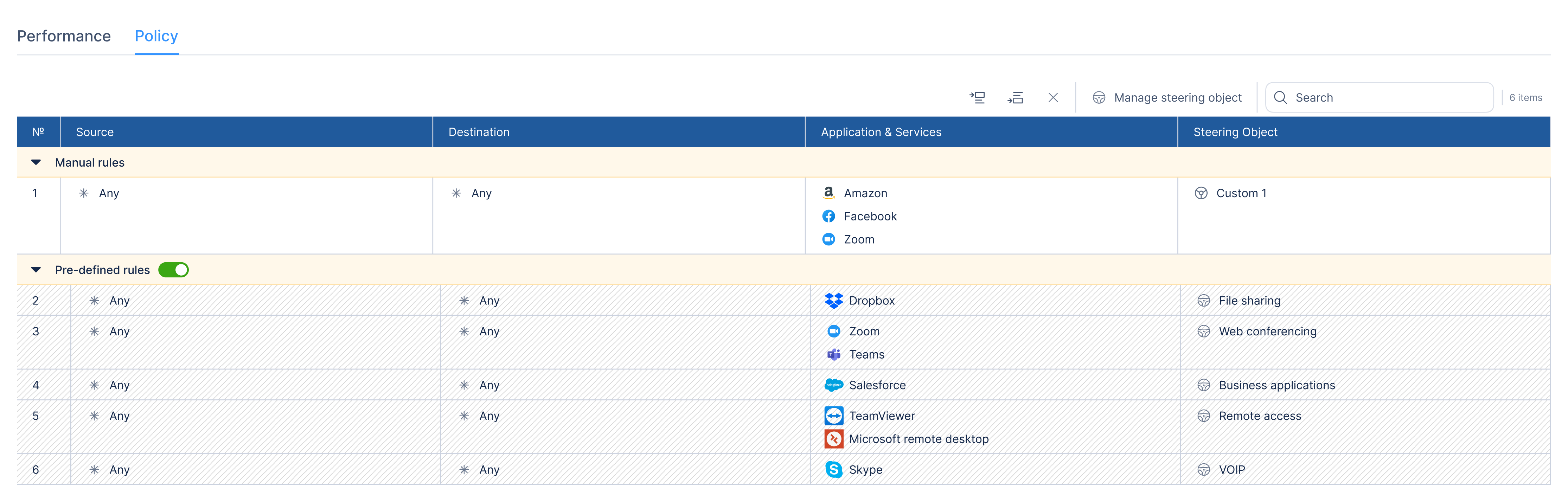
Traffic rules based on source, destination, application/services, and associated steering objects.
Priority levels set for different apps (Zoom, Teams, Salesforce) across network paths.
Redesigned visual structure for hierarchy, grouping, and better line separation.
Inline editing — users can easily modify rules by clicking Edit or Manage steering objects.
Steering Object Drawer
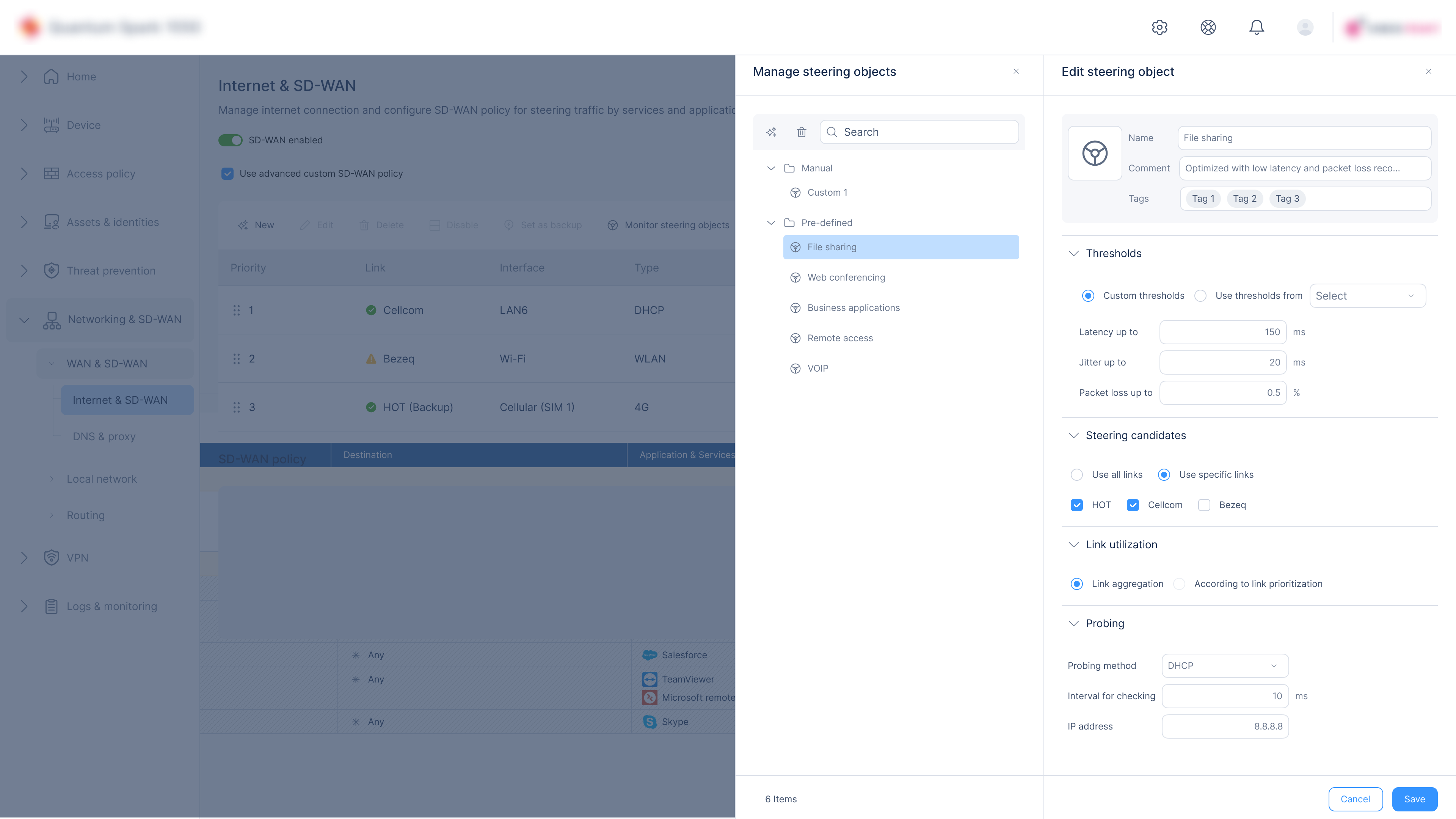
A side drawer pattern was chosen over a modal to enable users to edit objects while still seeing the full context of the main policy table.
Use of a side drawer enables editing while seeing the full context of the main policy table.
Clear separation of logical sections — organized into collapsible blocks: Thresholds, Object Candidates, Link Utilization, Probing.
Inline edit experience — allows updating key attributes without switching context.
Use-case segmentation (link selection) — allows picking which interfaces are used for this object.
Save/Cancel CTA placement — located at bottom-right for easy access and familiarity.
Compare Link Quality
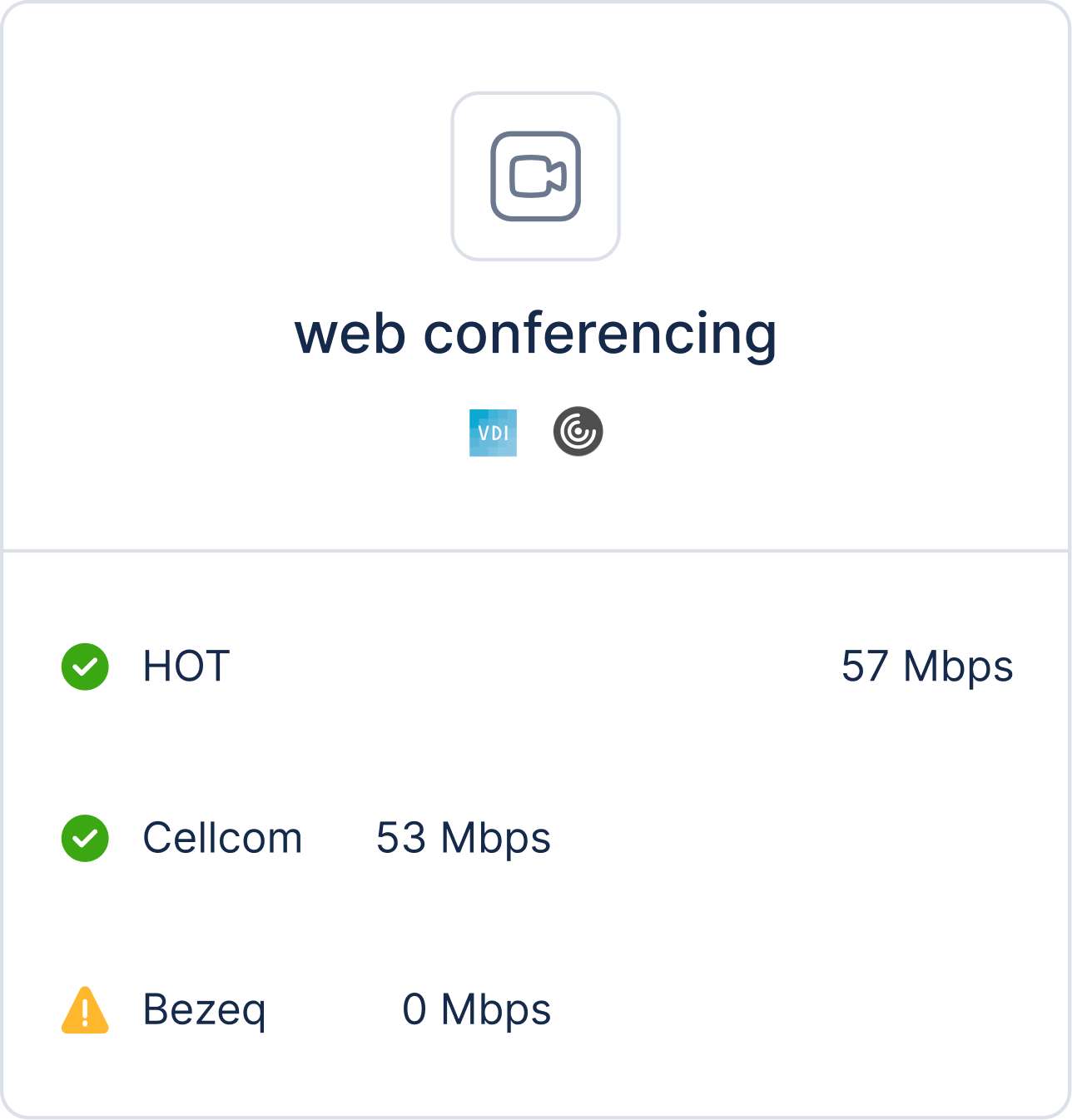
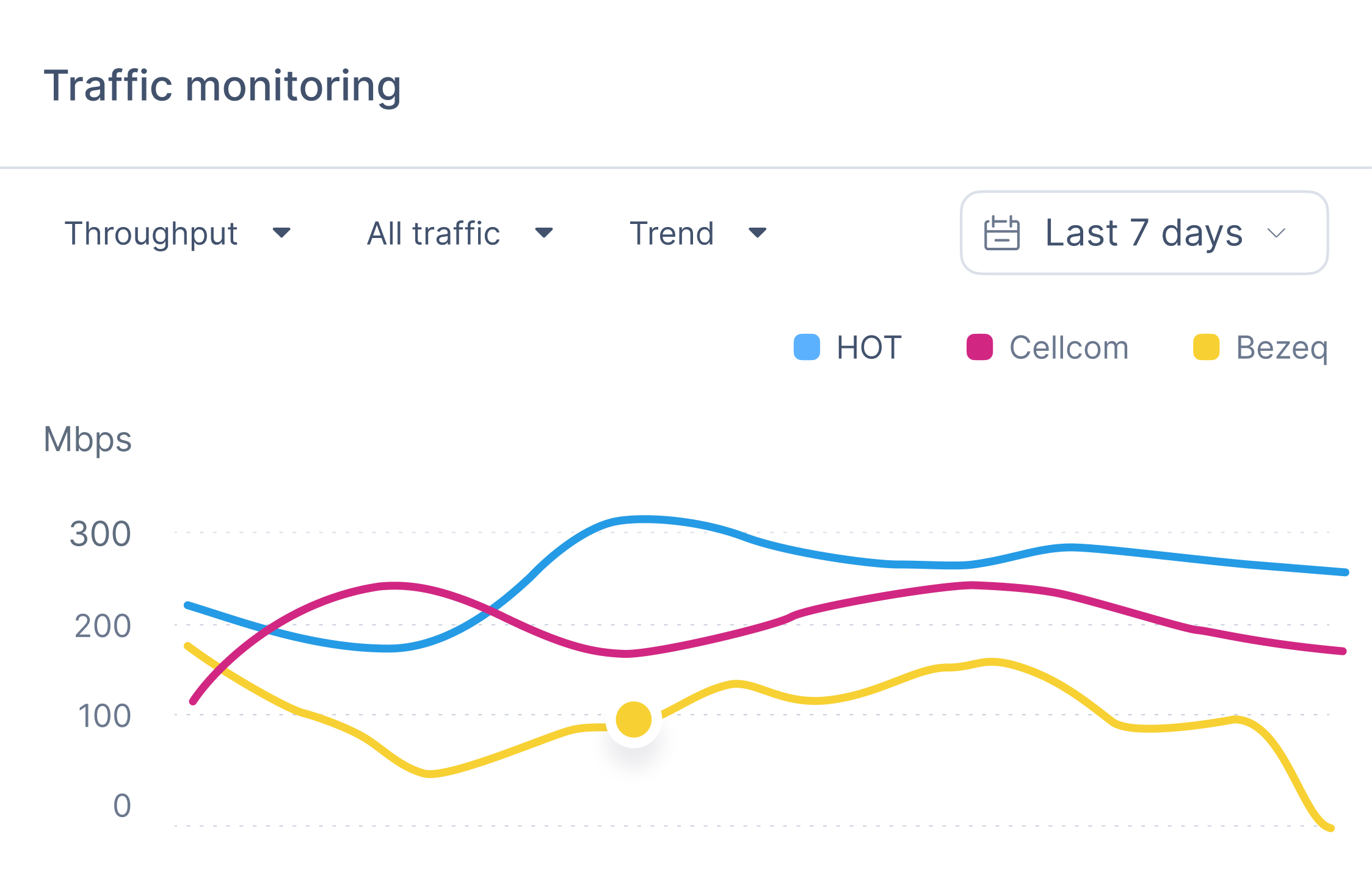
This screen provides a real-time comparison of network links for a selected steering object.
Network Administrator
Illustrative profile · Enterprise network operations
A representative role managing SD-WAN networks across multiple sites. This profile illustrates the task context; it is not an identified research participant.
Typical Goals
Monitor and optimize network performance in real time
Prioritize traffic for critical business applications
Minimize downtime and security risks
Reduce manual work through smart automation
Keeping network policy in context
In context
Steering object edits
Policy table stays visible while editing
Compare links
Before selection
Link-quality information in one view
Split drawer
Browse and edit
Related settings organized into sections
Clear labels
Interface terminology
Object Candidates and Steering Tags
Next Case Study