Cloud System RedesignBuilding a self-service license management platform.
I led the UX/UI redesign of an internal license management system into a fully cloud-based, self-service platform for global users.
A complete redesign of an internal license management system into a scalable cloud-based self-service platform, helping global clients manage licenses, monitor usage, and reduce dependency on manual support.
Manual processes at global scale
The company relied entirely on phone-based support and manual license management, creating delays, operational bottlenecks, and poor scalability for global customers across different time zones.
Pain Points
No self-service platform
Heavy support dependency
Complex license management
Poor visibility into usage and activity
Outdated and cluttered interface
A modern platform built for automation and scale
Designed a modern cloud platform focused on automation, usability, and scalability.
Key Improvements
Self-service license purchasing and renewal
Real-time monitoring and reporting
Simplified Docker and user management
Modern dashboard with better hierarchy
Clear status indicators and actionable alerts
Reduced cognitive load through modular UI
Capabilities introduced in the design
Self-service license management
Instance status and usage visibility
License assignment and activation flow
Reusable dashboard patterns
Contextual configuration actions
UX/UI and product design
Owned the end-to-end UX/UI redesign, product thinking, user flows, dashboard architecture, and scalable design system.
How I optimized the system
Screen 01
Docker Details Page
Each Docker represents a licensed software instance deployed at a client site. This screen gives full visibility and control over a single Docker — showing live status (Active/Inactive) and key metrics like failed requests, charge-per-second rate, total requests, and total minutes, all surfaced at the top. The Details panel lets users view and edit their Docker configuration (name, ID, password, application type), while the Charge Overview chart visualizes usage trends over time. Quick Actions on the right enable self-service: buy more credit, view usage history, run diagnostics, or restart the Docker — bringing routine operations into the interface.
Screen 02
Docker Management
Redesigned the Docker management flow to reduce friction and enable self-service license activation. Users can now purchase, assign, and activate licenses directly within the platform — replacing a support-led flow in the design.
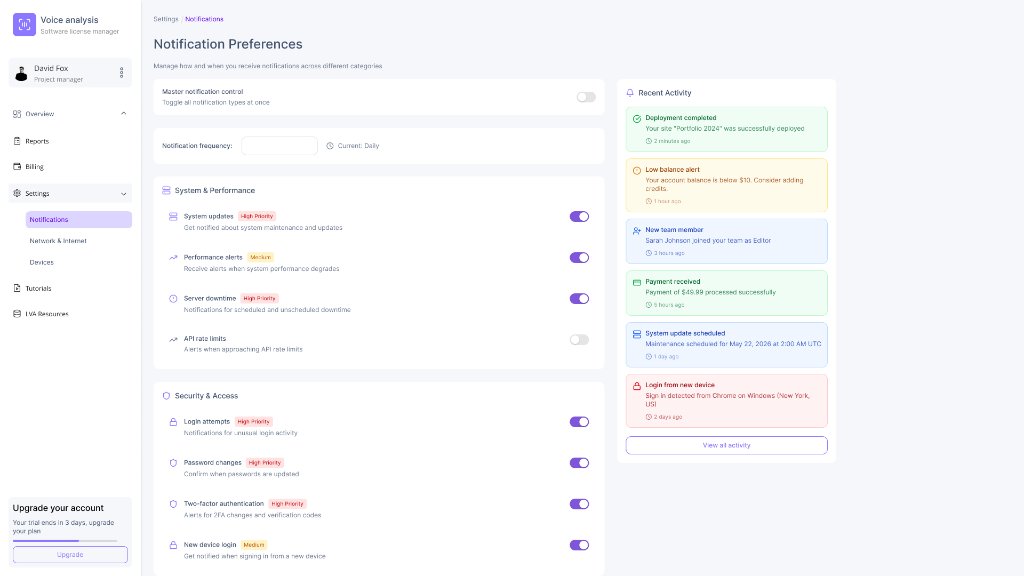
Screen 03
New System Design
A complete UI overhaul introducing a clean, token-based design system with consistent spacing, typography, and color. Modular sections, inline alerts, and prominent CTAs replaced the cluttered legacy interface — intended to make tasks easier to scan and complete.
Next Case Study