Attack MapVisualizing cyber threats in real time.
A complete UX & UI redesign of an enterprise security platform feature — mapping entities, relationships, severity, and investigation flow for SOC analysts under pressure.
A system that reveals what's under attack
This cybersecurity product aggregates security logs and data from various sources — endpoints, gateways, and cloud services — to provide administrators with a comprehensive view of their organization's security posture.
My Role
UX & UI Design
Platform
Desktop
Year
2025
Participants
3 Users Tested
High Volume of Entities
Users struggled to interpret a large number of entities and understand their relationships.
Lack of Visual Differentiation
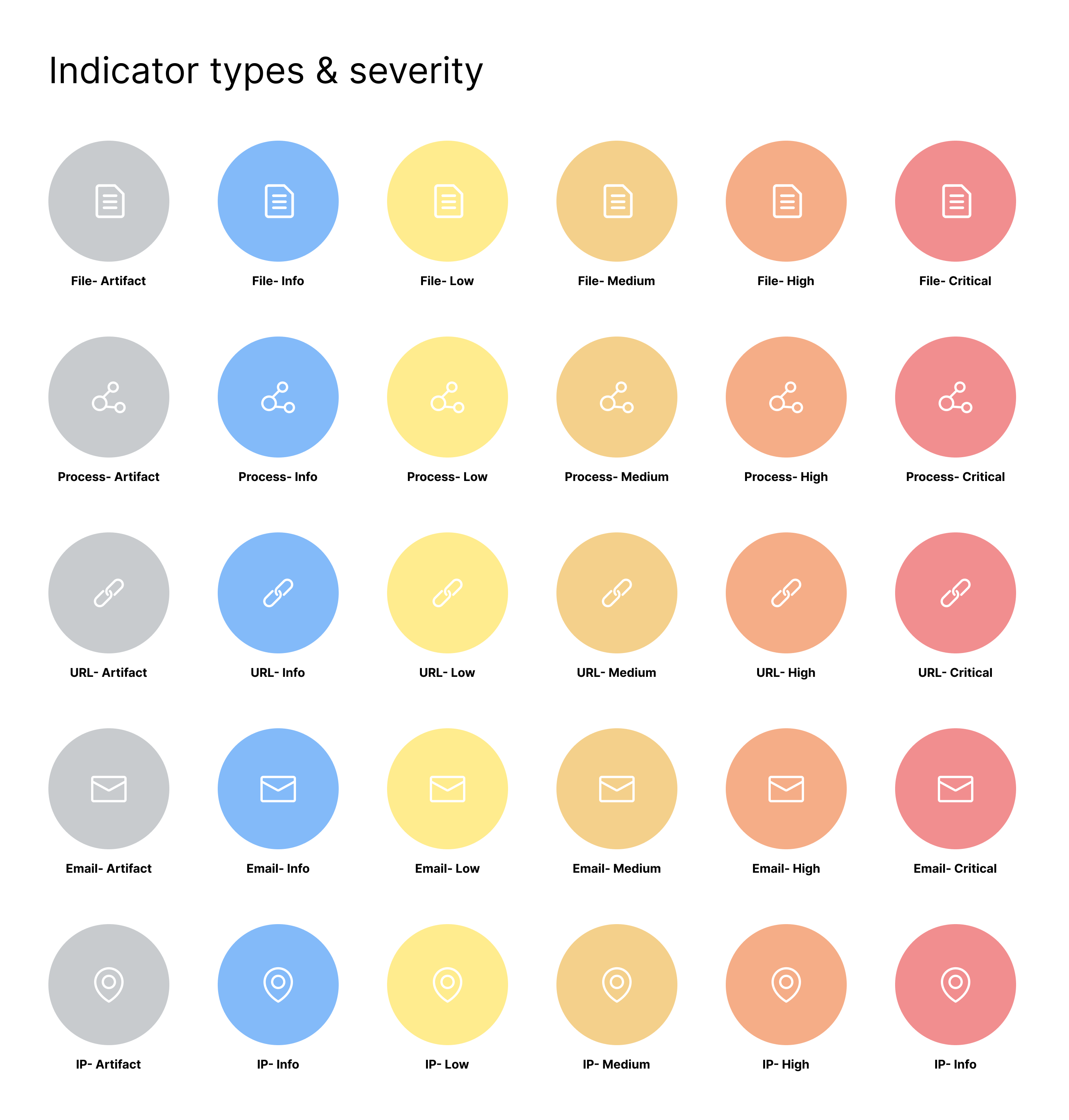
It was difficult to distinguish between various asset types and attack types.
Missing Attack Timeline
Due to technical limitations, users couldn't view the chronological flow of attacks, making investigations harder.
Logical Grouping
Structure entities into clear, meaningful groups to enhance comprehension.
Defined Group Behavior
Establish consistent rules for how entity groups expand, collapse, and display their contents.
Support Investigation Paths
Add contextual links and navigation options to help users follow the flow of an attack across the system.
Entity Relationships & Threat Flow
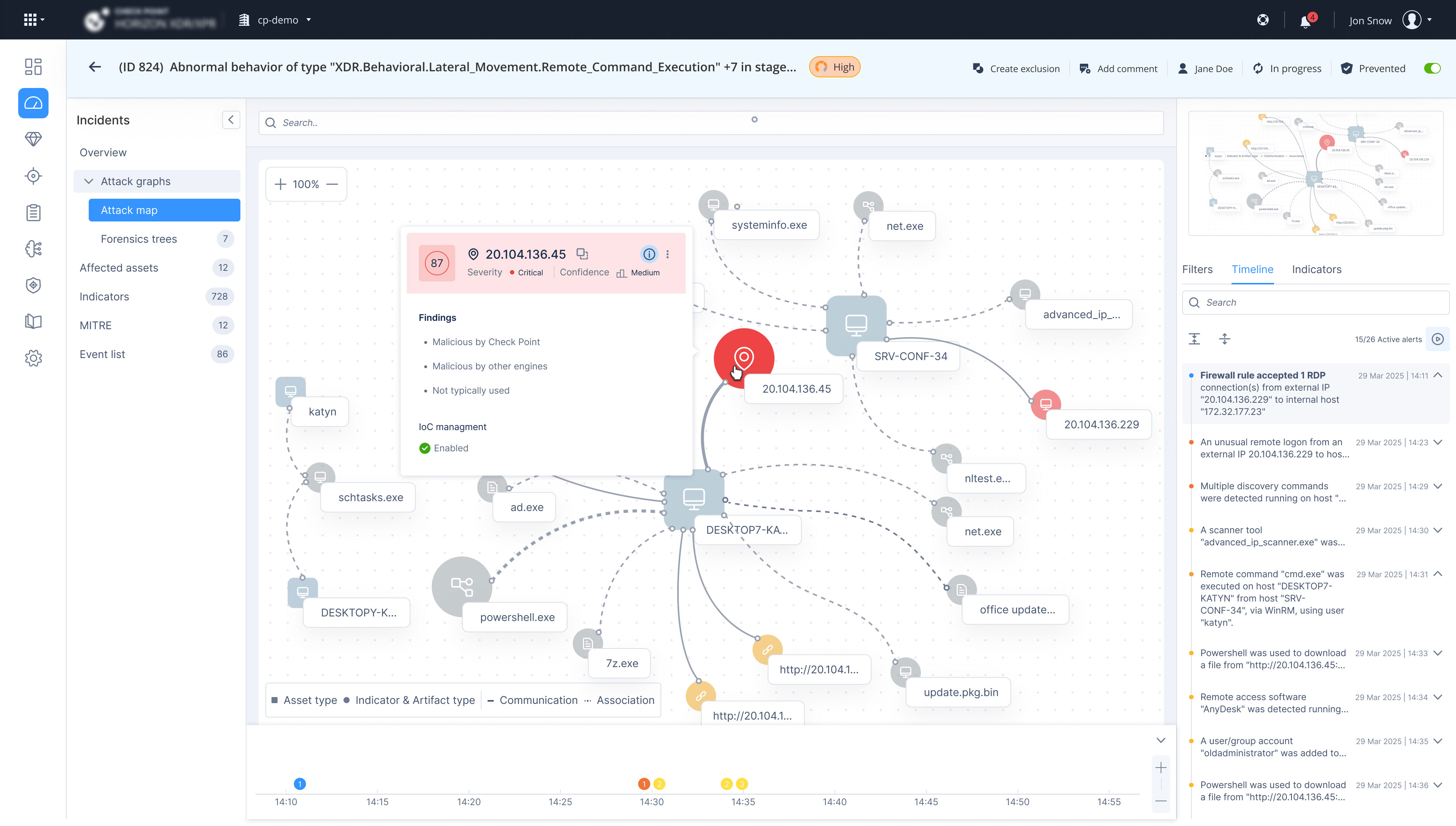
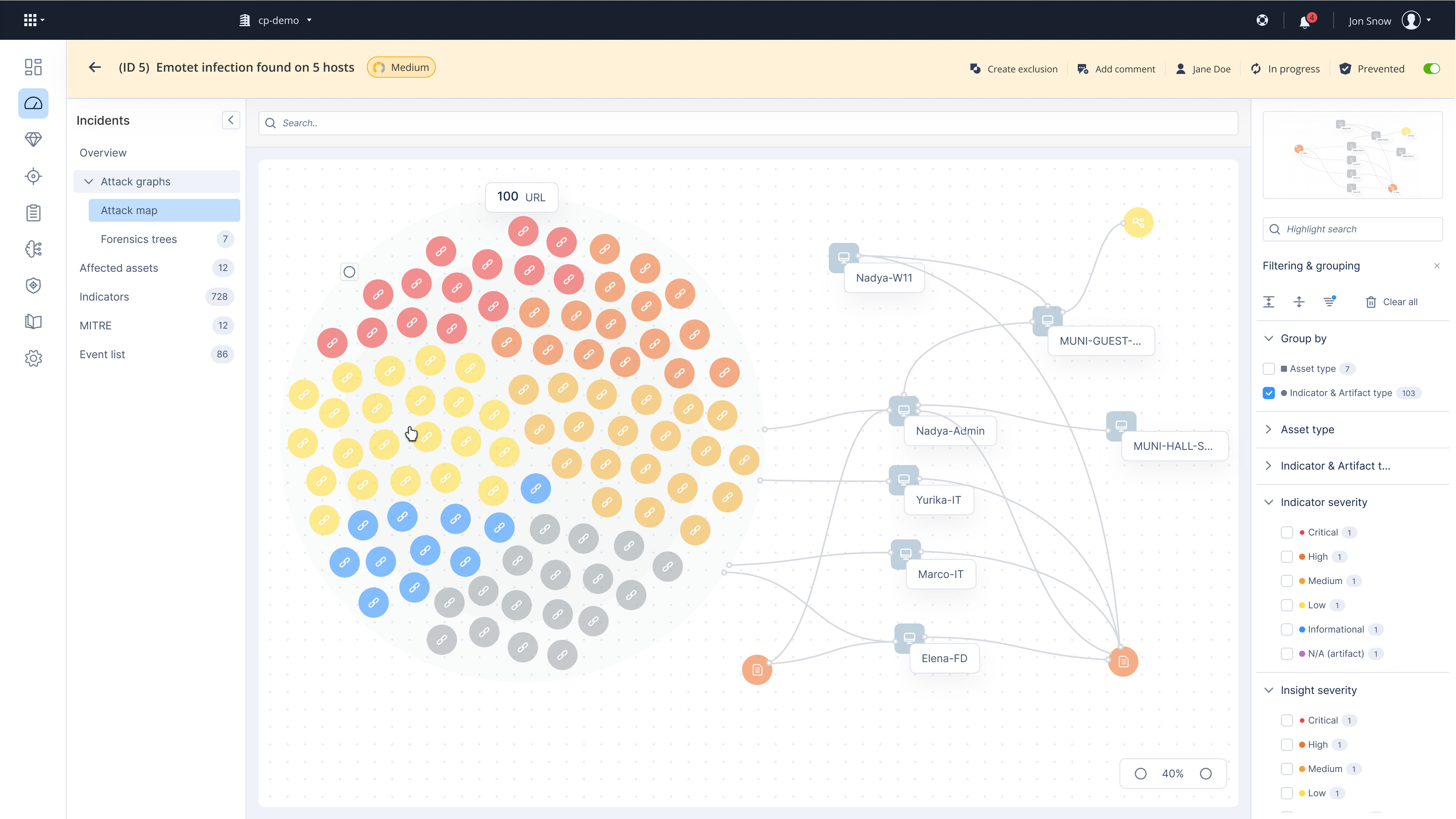
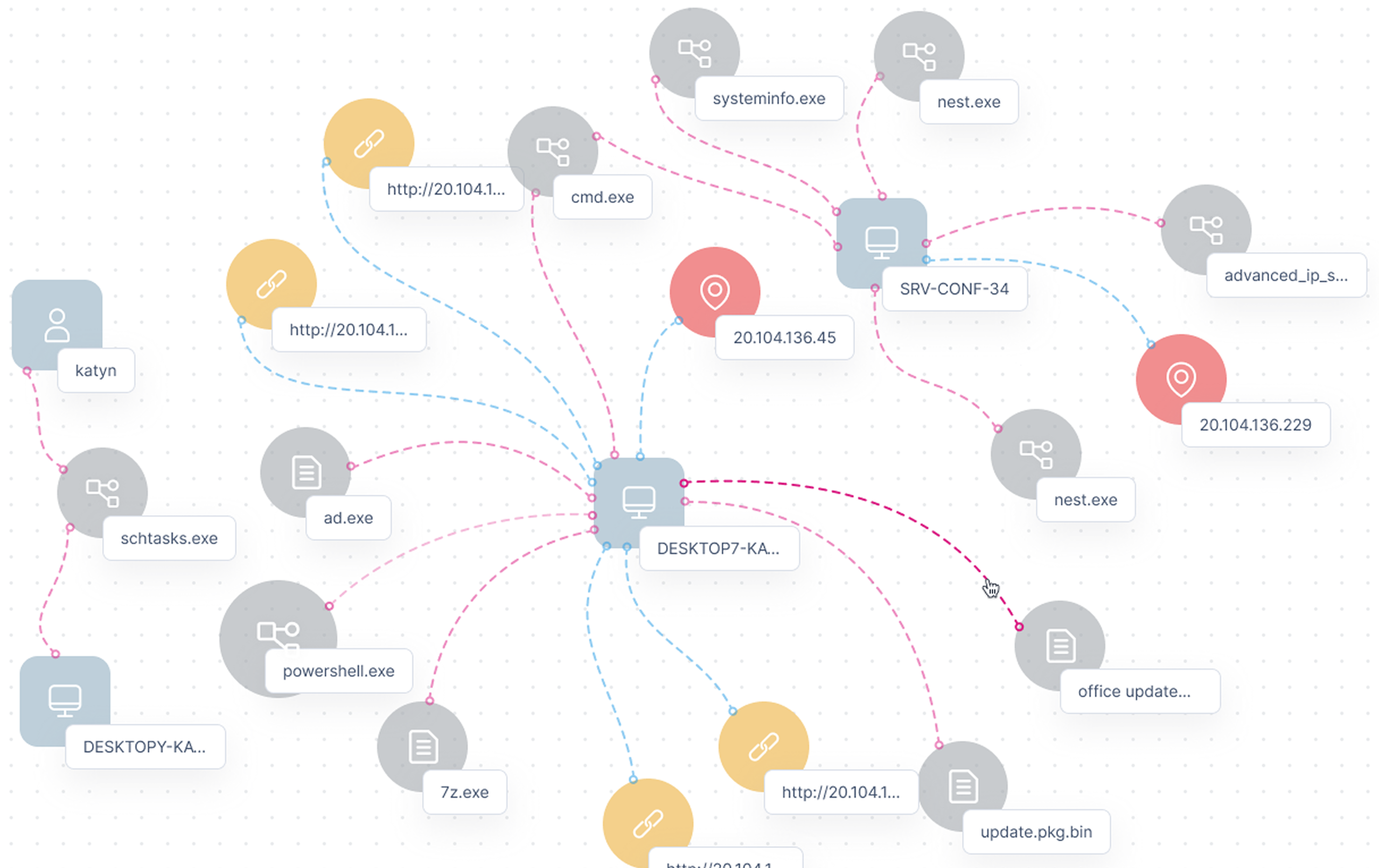
The attack map visualizes all entities involved in an attack and their connections.
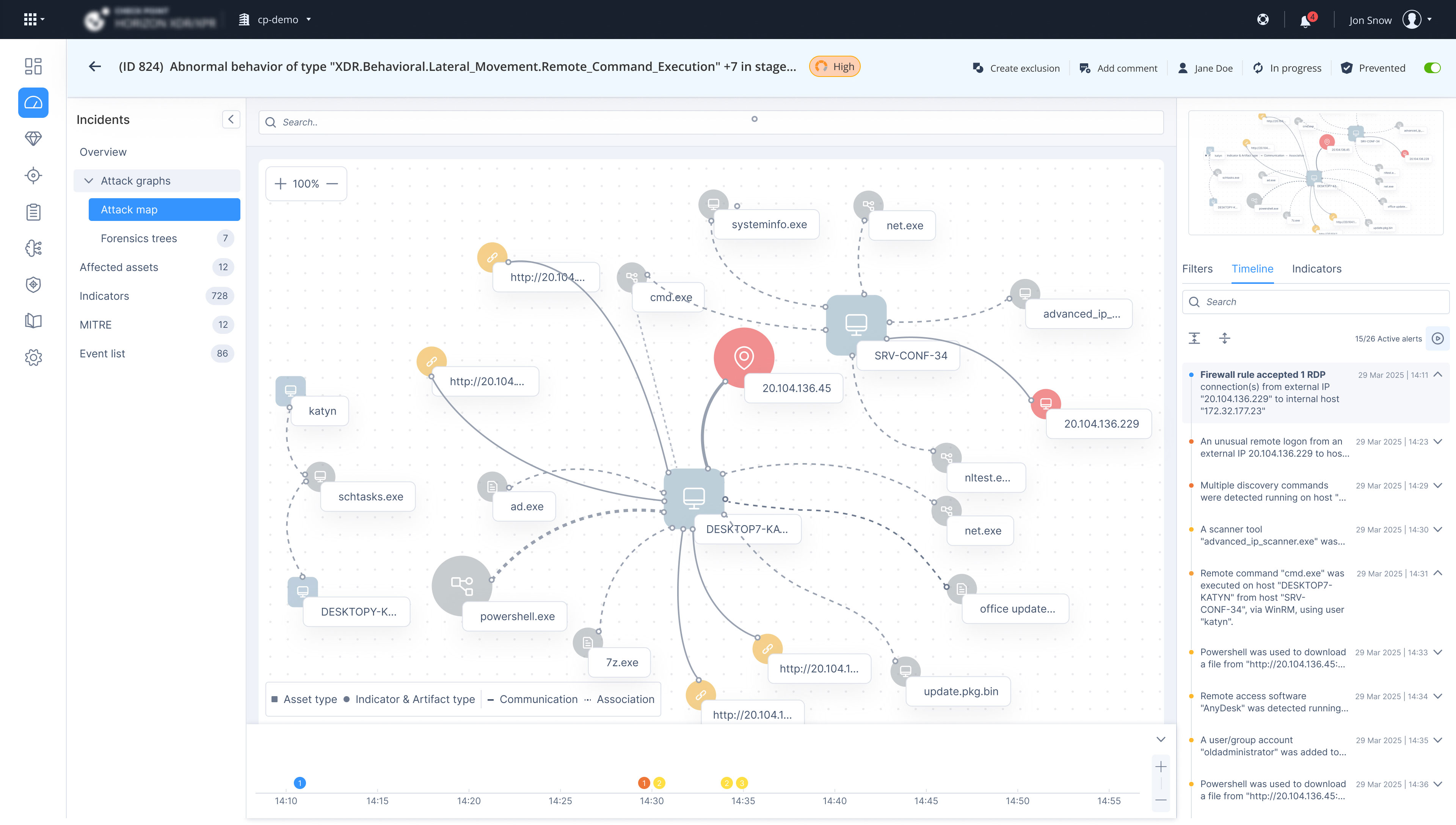
Improving Map Readability
The initial design grouped entities by asset and indicator type. Testing showed this added steps on small maps, so the revised design makes grouping optional.
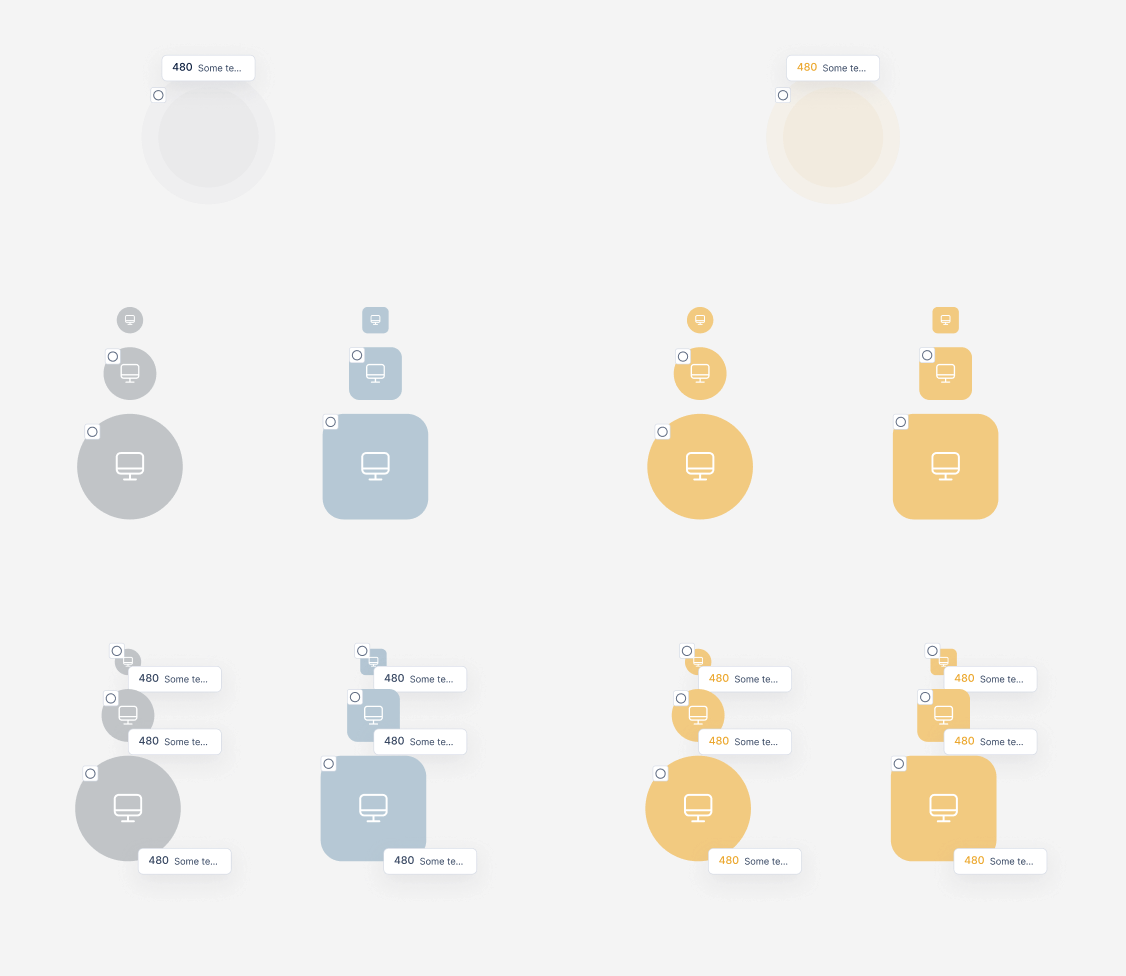
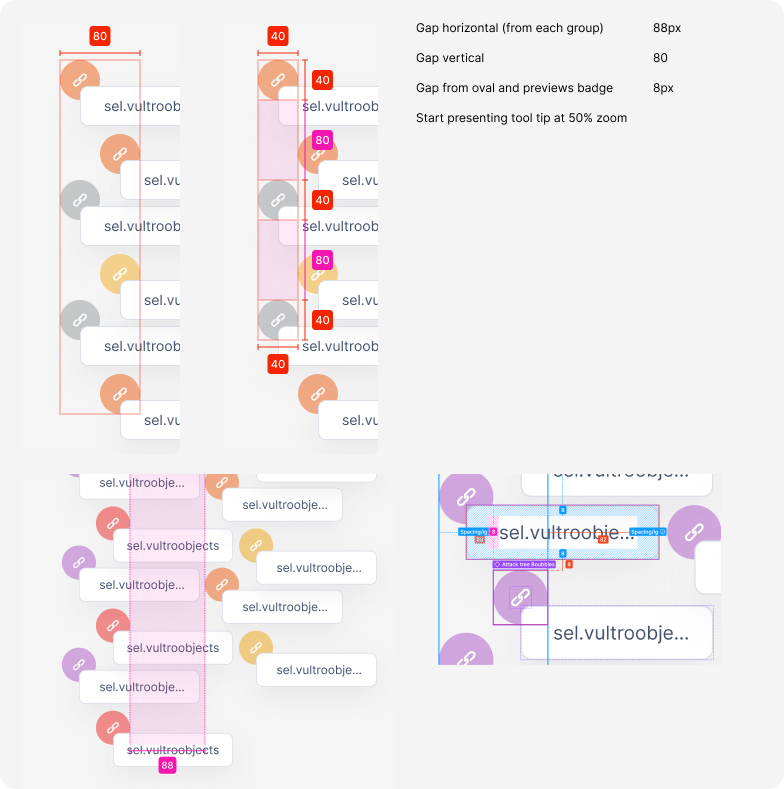
Scaling Logic for Large Attack Maps
The spacing system defines horizontal and vertical gaps (40–88px) between items to maintain readability.
Testing with 3 active SOC users
Navigation
Overall placement was clear, but navigation to affected assets and related insights was not intuitive—existing links were either overlooked or unclear.
Grouping
Most maps were small and didn't necessarily require grouping, which added unnecessary steps in some cases.
Investigation
Users expected direct pivot into Threat Hunting, Threat Intelligence, or to add an entity to the IOC list. No visual indicators for isolated assets.
Filters & Visual Cues
Filter counters lacked clarity. The distinction between indicator severity and insight severity was not clearly understood.
Chronological Flow
Users expected to see the sequence of events but noted this was missing entirely.
Design revisions after testing
Added timeline chart and list so users can understand the sequence of attack events.
Created visual distinction between Communication (asset ↔ asset) and Association (asset ↔ indicator) connections.
Removed default grouping — most maps appear small and do not require it.
Added links and actions in entity tooltips to pivot to Threat Hunting, Intelligence, and add to IOC.
Added tooltip with information on indications about the attack and whether it was isolated.
Removed counters from title, presented them only within the filters for clarity.
Next Case Study