
Cloud System Redesign
Building a self‑service license management cloud platform
Desktop | Year 2025
My Role UX & UI design
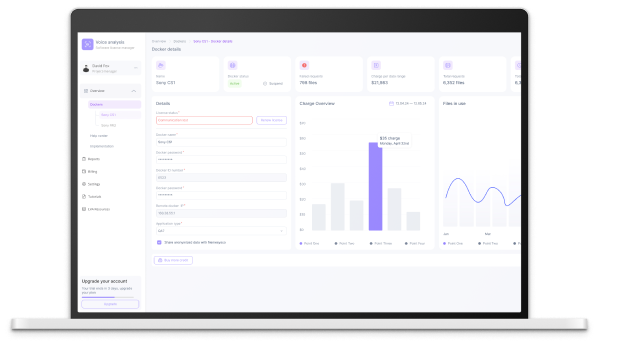
Overview
As the Lead UI/UX Designer and Product Designer in my previous role, I was responsible for leading the end-to-end redesign of our internal license management system—transforming it into a fully cloud-based platform.
This was the largest and most impactful project I led, as the new system fundamentally reshaped how customers interact with the company. The primary goal was to make communication more automated, streamlined, and self-service oriented—reducing dependency on manual support while improving clarity and control for users.
By designing a modern, scalable interface, we enabled users to manage licenses, monitor activity, and resolve issues independently—all within a few clicks. The result: increased customer satisfaction, reduced support load, and a future-ready product experience that aligned with the company’s shift to cloud-based services.
The Challenge
Before this system was built, there was no digital platform at all. Clients could only communicate with the company by phone during office hours, which became a major limitation—especially since most clients are located across multiple time zones around the world.
The company, Nemesysco, specializes in voice analysis technologies used for security, fraud detection, emotion analysis, and remote risk assessment. These sophisticated tools require clients to purchase licenses, renew them regularly, and manage access for multiple users within their organizations.
Without a centralized system, managing these tasks was complex, slow, and often led to communication breakdowns. Everything was handled manually by internal staff, creating bottlenecks in both service and sales processes.
We were challenged to design and build a completely new system from scratch—a cloud-based platform that would transform internal operations, enable scalable customer service, and support the company’s continued global growth.
The goal
The goal was to create a cloud-based self-service platform that would replace phone-based communication and manual license handling.
We aimed to:
Enable clients to buy, renew, and manage licenses anytime, from anywhere
Allow companies to assign licenses to team members easily
Automate support tasks and reduce internal workload
Provide a simple, intuitive interface for global users
Support scalable growth and improve customer experience
This platform was key to streamlining operations and boosting both sales and service worldwide.
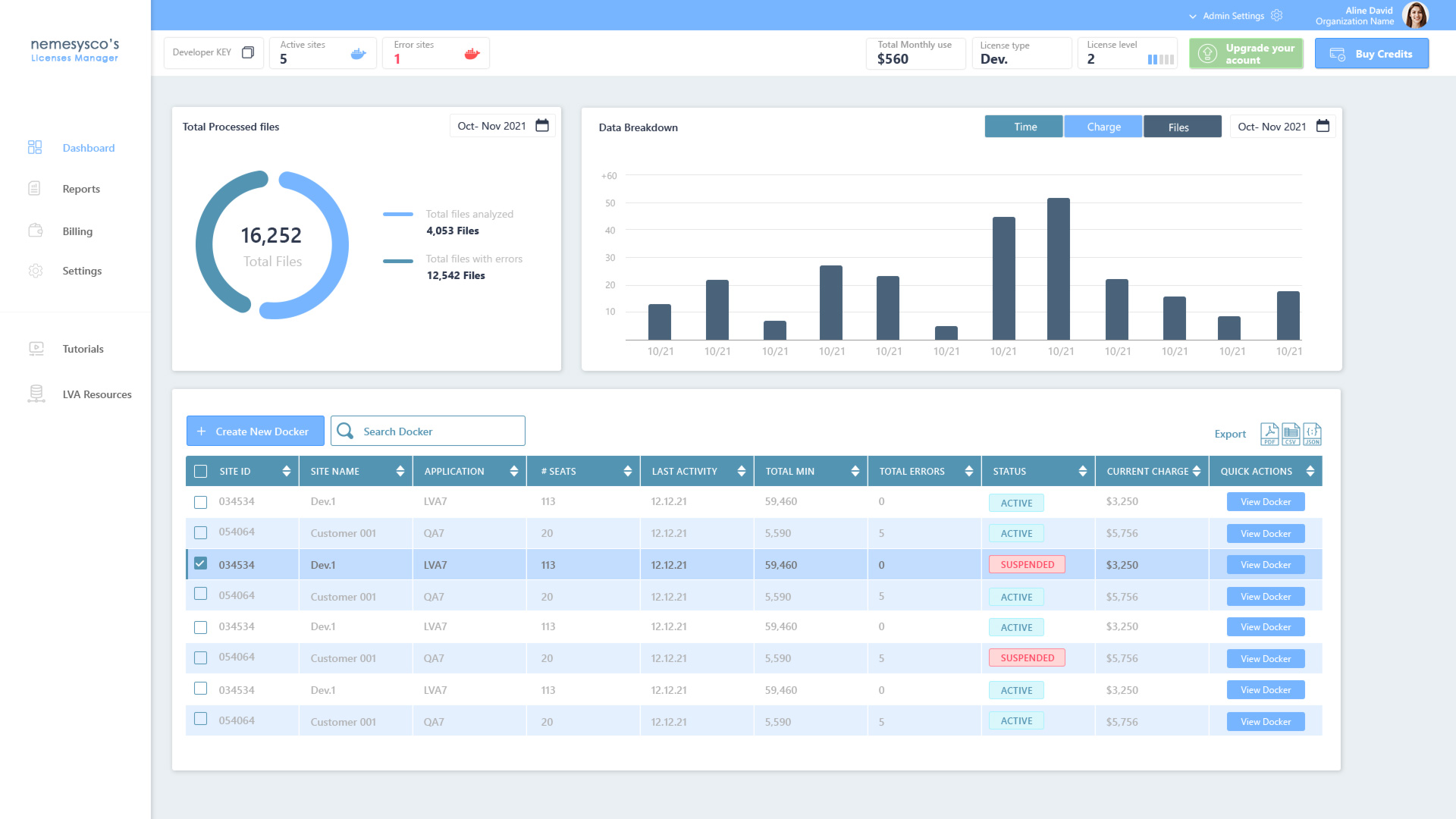
Old vs. New: System Dashboard Redesign
Old Design- Main UX/UI Problems
Overwhelming Data Presentation
Too much dense information in a small space with minimal hierarchy
Hard to scan rows quickly or focus on key actions
Lack of Visual Hierarchy & Emphasis
All text, numbers, and labels appear visually equal, making it hard to know what’s important
Statuses like “Active” or “Suspended” don’t stand out clearly at first glance
Cluttered Table Interface
Duplicate entries and repeated data make the table unnecessarily long
Action buttons (“View Docker”) are identical for each row, adding to redundancy
Confusing Terminology & Labels
Labels like “Site ID” or “Docker” may not be intuitive for non-technical users
No explanation or tooltip to support unfamiliar terms
Disconnected Visual Style
No cohesive design system—color use, spacing, and alignment feel inconsistent
Blue-heavy palette creates a cold, monotonous tone lacking contrast or accessibility
Limited Filtering & Search Experience
Search and filter tools are minimal and don’t support real-time feedback
No advanced filtering (by status, errors, usage, etc.)
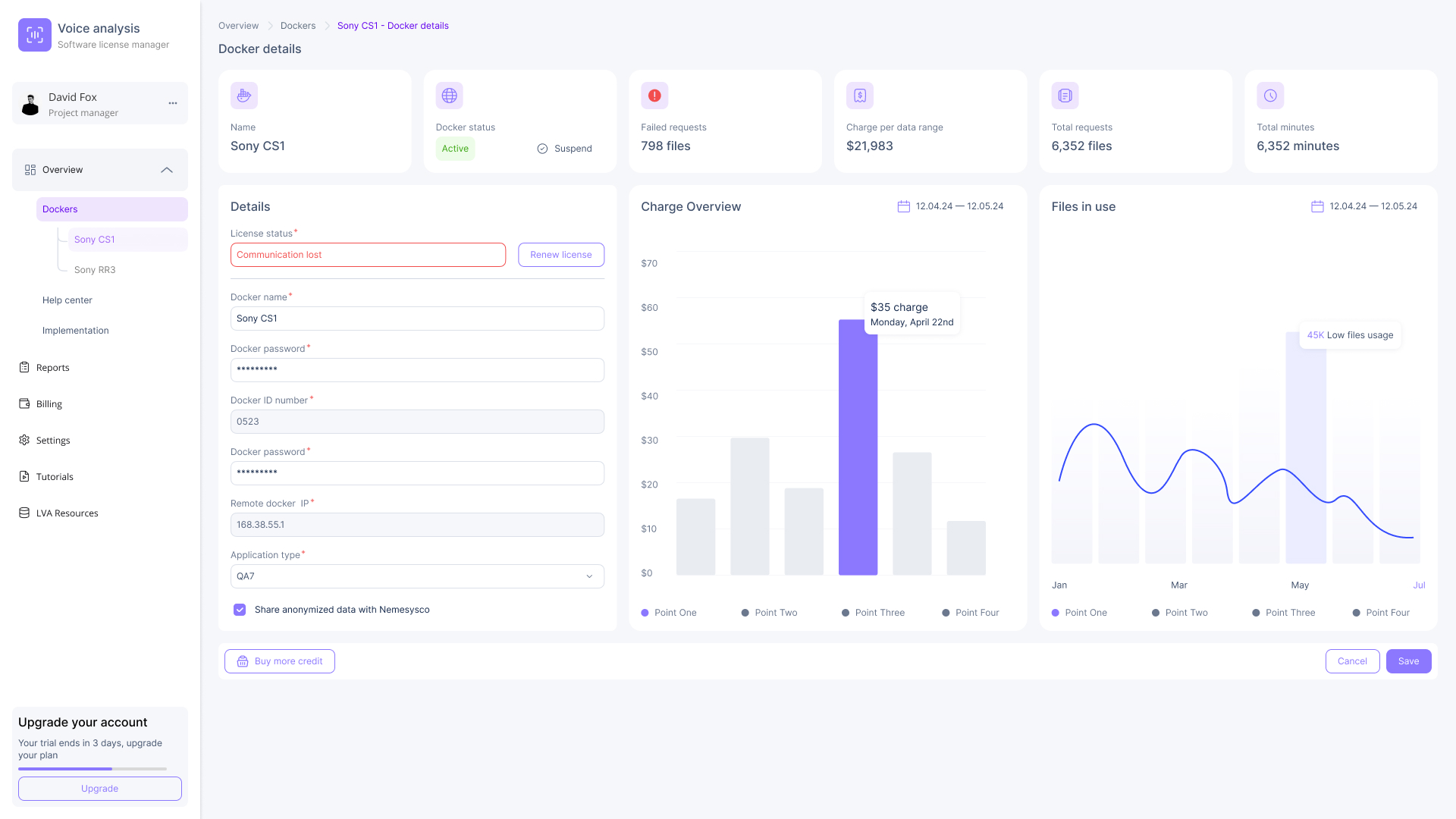
New Design - UX/UI Solutions
Clean and Modern UI
Introduced a light, minimal design system with clear visual hierarchy
Used color and spacing to create focus and reduce cognitive overload
Modular Layout
Separated key sections (details, charts, stats) into distinct, easy-to-scan panels
Improved structure makes the interface feel organized and less overwhelming
Highlighting Critical Data
Key metrics like “failed requests” and “charge per date range” are now surfaced clearly at the top
Visual emphasis with icons and color-coded statuses makes errors and updates immediately noticeable
Improved Data Visualization
Graphs and bar charts replaced raw tables to communicate trends and usage over time
Interactive tooltips provide specific insights without clutter
Inline Alerts and Actions
Status messages like “Communication Lost” are now inline and styled as clear warnings
Users can renew licenses or take action directly from the same screen
Streamlined Form Fields
Grouped related input fields with labels and validation indicators
Made long forms easier to complete by reducing visual friction
Call-to-Action Clarity
Actions like “Save,” “Buy More Credit,” or “Upgrade” are now visually prominent and accessible
Users know exactly what to do next without needing support
The persona

Emily Geller
Age: 35
Job Title: Senior Product Manager
Company: Global Voice Tech Inc.
Location: Austin, Texas
Emily is a Senior Product Manager at a global voice analysis company. She oversees product operations and licensing for international clients and remote teams, and needs full control over user access and system activity from a single platform.
She required a centralized, cloud-based system to manage licenses, assign users, track usage, and reduce dependency on manual support. Emily values clean interfaces, speed, and autonomy in her workflow.
Her goals:
Monitor license usage and errors across global clients
Purchase and renew licenses quickly and independently
Assign or revoke access for team members with ease
Generate usage and charge reports for executive teams
Reduce support tickets through self-service capabilities
Smart Docker Management to Drive Business Efficiency
The Docker management interface plays a critical role in improving operational flow and increasing product sales. By enabling automated purchase and activation of licenses, it eliminates the traditional delay caused by manual approvals or pending management reviews. This instant provisioning allows customers to deploy and scale usage without friction—translating directly into faster onboarding, better customer satisfaction, and higher conversion rates.
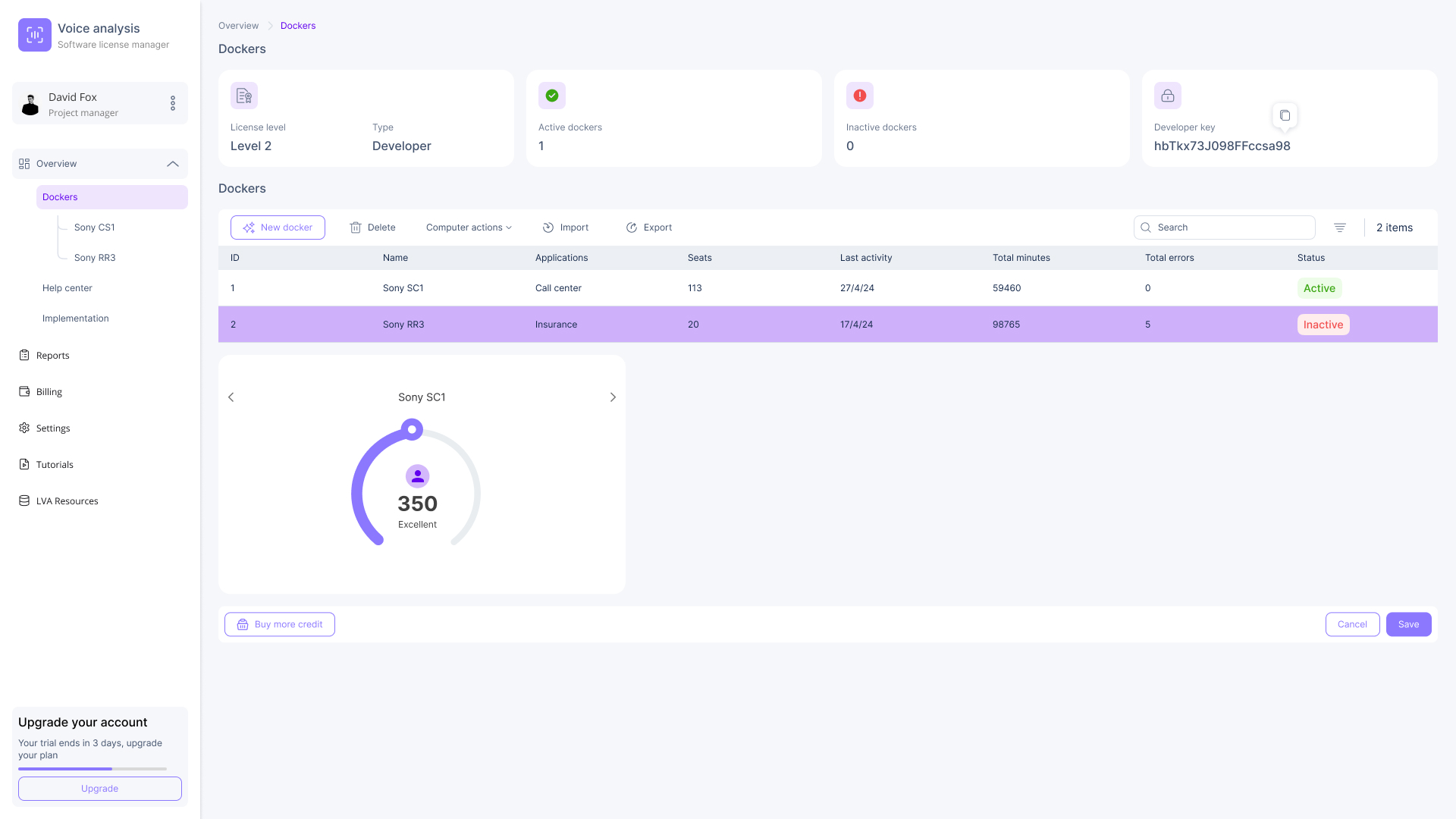
From a business perspective, this automation reduces operational costs, minimizes human error, and supports real-time scalability. It empowers sales and customer success teams to focus on growth instead of license logistics. The ability to track usage, errors, and engagement (as seen in the live metrics per Docker) also fuels data-driven decisions, helping leadership optimize pricing, product packaging, and resource allocation.